








| To start a new topic on the Coffee Shop Posted by grahame at 06:47, 10th October 2026 |     |
Answering a member's enquiry - worth a public writeup - To start a new topic on the Coffee Shop
1. Ensure you are registered as a member, and logged in (that's know to be the situation from my questioner)
2. Go to the top of the older site
https://www.firstgreatwestern.info/coffeeshop/index.php
(you can link to that by clicking on the coffee shop logo on the top at https://www.passenger.chat/ or any of our other multitude of top level domains)
3. Select the board you want to post in by clicking on it (it's name) in the list. For exampple, "South Western services" which will take you to
https://www.firstgreatwestern.info/coffeeshop/index.php?board=42.0
(there is no need for you to know the board number!)
4. Select the "New Topic" button, and Robert's your parent's brother! Button may not be obvious - highlighted in yellow here:
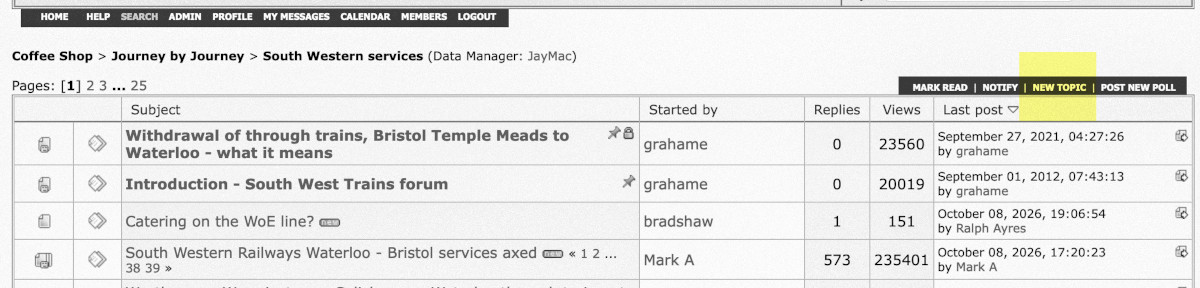
New (event) subjects can also be started from the calendar by clicking on the date in the calendar, and new polls can be started via the "Add new Poll" button just to the right of the "New Topic" button in the graphic just above.
Off topic: New subjects cannot be started by guests - you have to register first. Free, easy, but we need your forum agreement - start at https://www.firstgreatwestern.info/coffeeshop/index.php?action=register
